The Howli recording guide
How to record harmonies with yourself.
Record one vocal part at a time with Howli’s pitch and lyric guides, then combine your voices into a harmony video on iPhone or Android.
The finished result20-second clip · sound on
Read the video description
Four recorded vocal parts repeat “Hallelujah” in harmony. Coloured pitch notes and moving traces show the parts in four panels, with the sung lyric in the centre. This is the finished performance, rather than a recording of the app controls.
Before you sing
You need your phone, Howli and a quiet place to record. No Howli account is needed. Allow microphone access when the app asks; recording camera video is your choice.
With compatible headphones, Howli can play a recording metronome. Listen to the melody with Hear it before recording; the headphone clicks help with timing and are not a continuous melody guide.
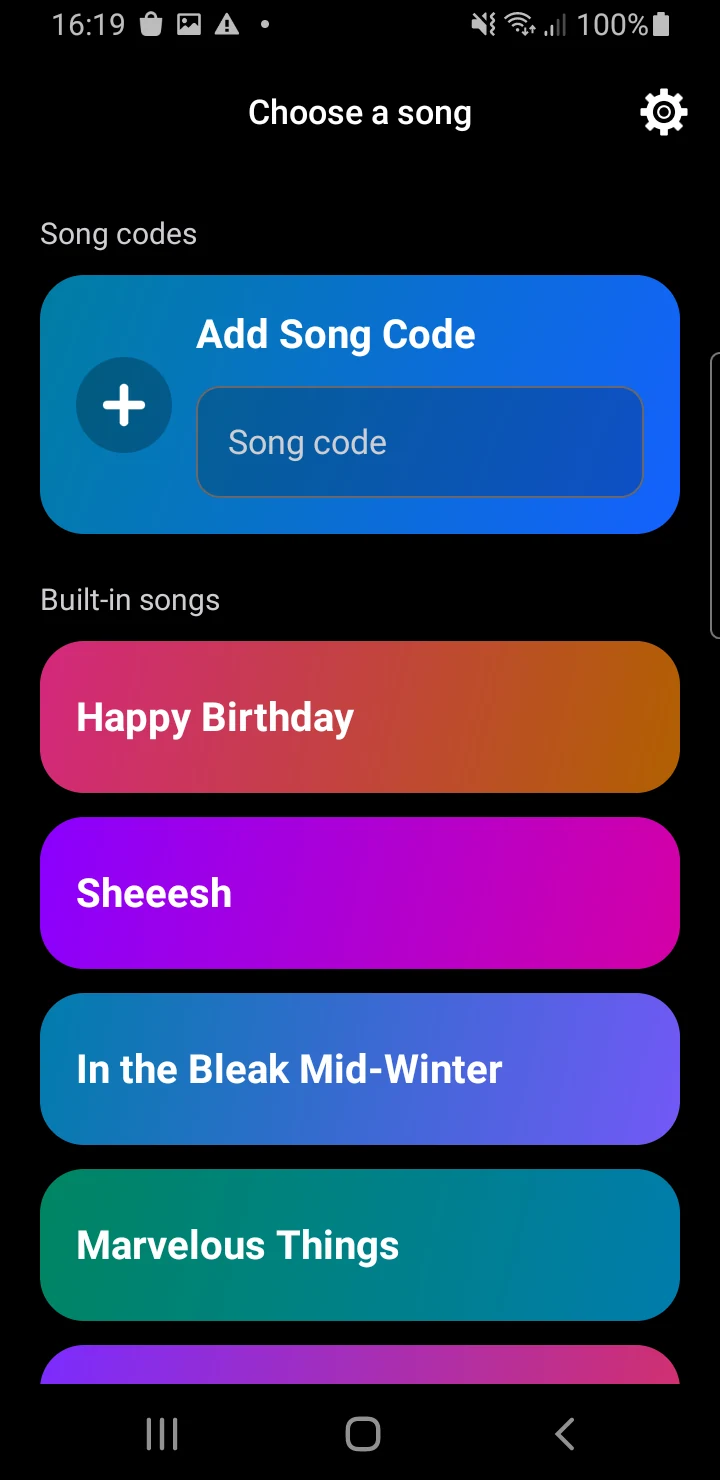
Pick a song with harmony parts.
Open Choose a song. If you are in My Songs, tap New Song first. Choose a built-in song, listen to its preview, then tap Sing it.
If you already have a Howli song code, paste the complete code into Add Song Code, check the preview and tap Sing it. A code carries an arrangement so you can make your own recording.
Want to write your own parts? You can write in the app, or import MIDI or MusicXML with the free browser song editor.
Make it comfortable for your voice.
If Howli asks for your vocal range, follow the prompts to sing a comfortable low and high note. The app uses this range to suggest a starting key for guided songs. Confirm the key or adjust it before recording.
Choose whether to include camera video. Add video enables the camera when you want it; you can also record your voice with the camera off.
Hear one part. Then sing it.
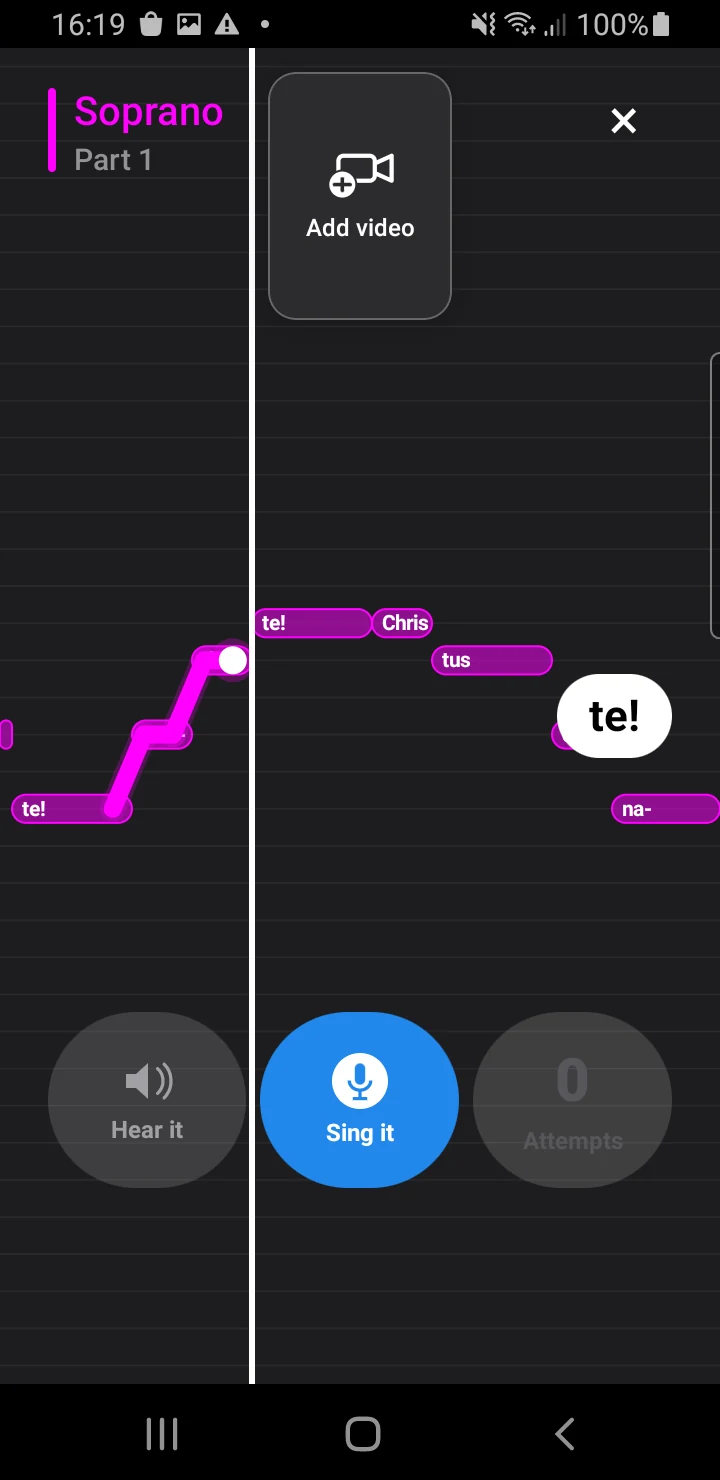
Tap Hear it to learn the selected part’s melody. Listen as many times as you need before recording.
Tap Sing it, wait for the count-in and sing the part. Follow the pitch notes and lyric cues as they reach the playhead. Your moving pitch trace shows where your voice is.
You can record again. In guided songs, Howli keeps the highest-scoring take for review. Open Attempts to replay the recordings you have made.
You are recording this part on its own. Build the full harmony one voice at a time; you will hear the combined stack in review.
Give each voice its own take.
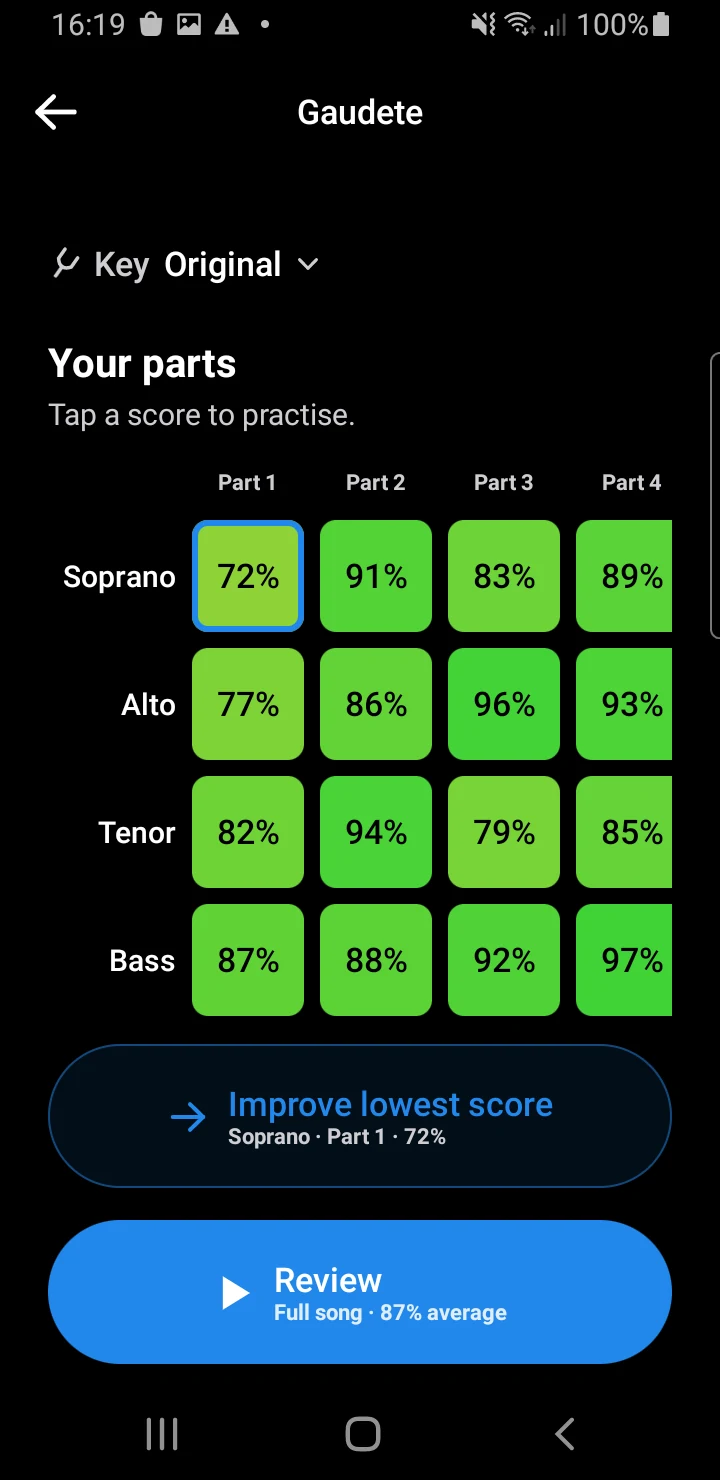
Follow Next part and record the remaining voices. Some songs have several numbered sections, with a separate take for each voice in each section.
Howli offers a review when the relevant parts are complete. A longer song may offer a section review before the full performance. You can also return to the song summary to see your progress and tap a score to practise that part again.
Hear yourself in harmony.
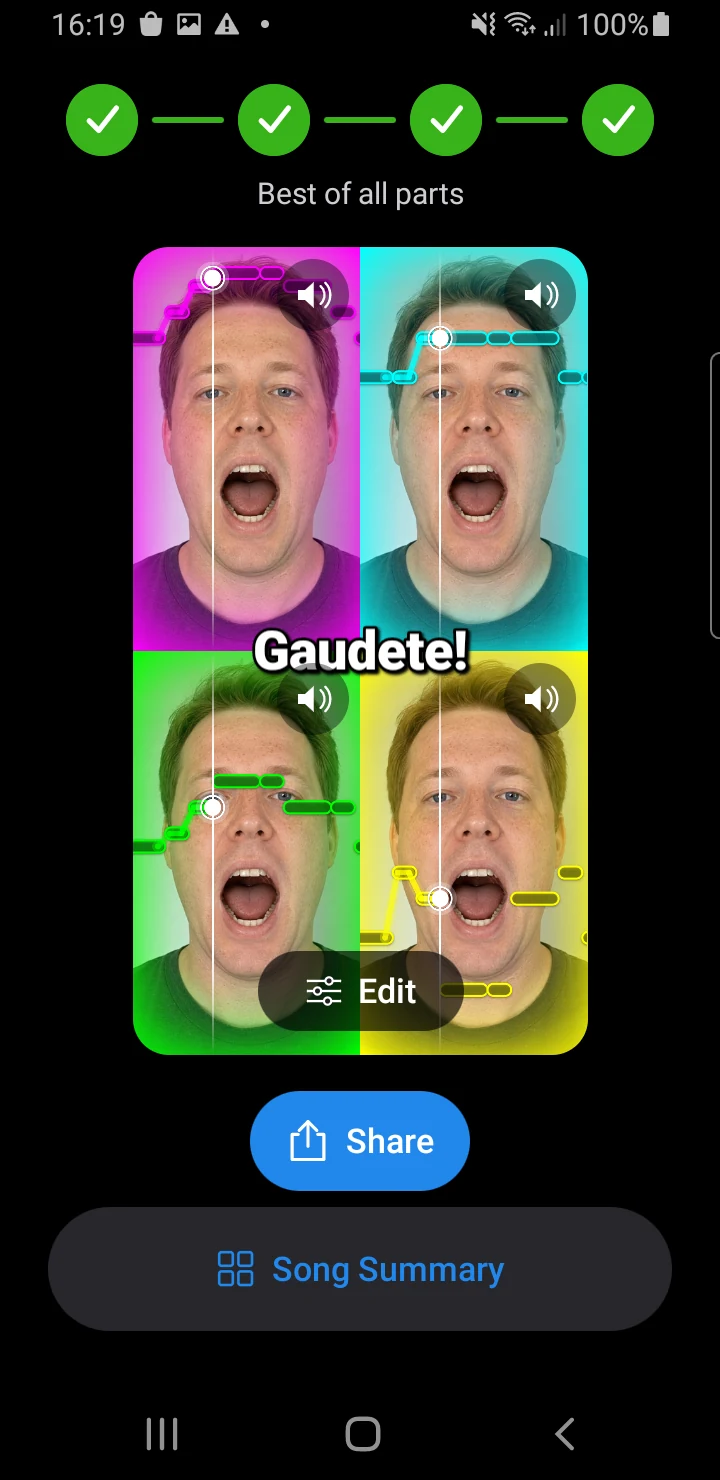
Open Review and listen to your recorded voices together. In guided songs, the review uses your saved best takes. Tap Edit to adjust the part colours, available lyric and pitch visuals, and reverb.
Tap Share and wait for Howli to create the video. Your phone’s sharing options then let you save it or send it to another app. The video uses the style you previewed in review.
Your retained recordings remain free to review, save and share, including after you reach a free recording allowance or Howli Unlimited ends. For arrangements you create or import, use music you have permission to record and share.
Already know what to sing?
Make your own stack in Freestyle.
Freestyle records vocal layers without written notes or a pitch score. Choose it when you want to improvise, arrange by ear or record parts you already know.
- Choose Freestyle from the song picker.
- Pick two to six layers, then choose your tempo and recording length. Use Continue between the setup steps.
- Tap Use this setup, then Start Freestyle.
- Record each layer, then review the voices together and use Share to make the video.
Freestyle uses your latest completed take for each layer, rather than choosing by score. It has unlimited free practice on iPhone and Android.
Recording questions.
Can I make a harmony video without showing my face?
Yes. Record audio with the camera off. Howli can combine your layers with animated pitch visuals in the finished video. If you have recorded camera video, review also lets you hide the available videos without deleting your recordings.
Do I have to sing every part in one session?
No. Your saved recordings stay on your device. Return to the saved song in My Songs to continue. Export performances you want to keep before deleting the app.
How much recording is free?
Guided practice includes a daily recording allowance; Howli shows when you can record again if you reach it. Freestyle has unlimited free practice. Songs written from scratch in Howli have unlimited free practice on their creator’s device. Retained performances stay free to review, save and share. See free practice and Howli Unlimited for the full details.
Does a song code include somebody else’s voice?
No. A song code contains the arrangement, not audio or video recordings. You record your own version. A separate duet file can carry selected recordings when you want to record with a friend.
Start with one part.
Download Howli for iPhone or Android, choose a song and make your first harmony video. No account needed.